


Shopping List - Listonic
4.617.07K Reviews
App Specs
- Version
- 9.19.2
- Updated On
- License
- Free
- Downloads
- 10,000,000+
- Developer
- Listonic - Smart Grocery Shopping
- Categories
- Shopping
- Platform
- Android, iOS
Screenshots
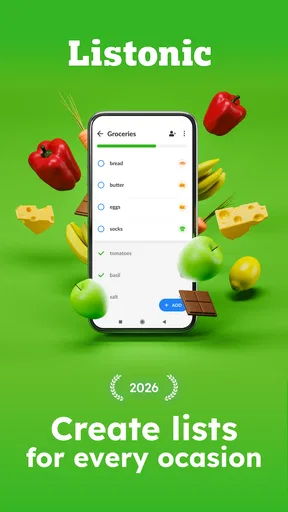
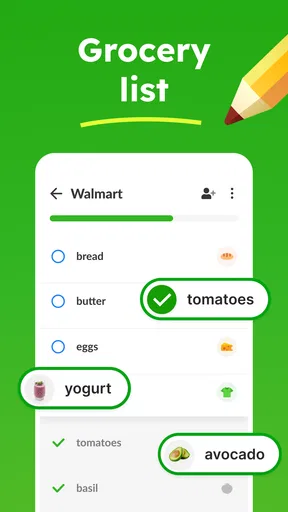
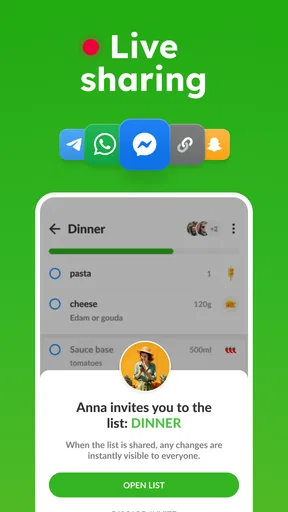
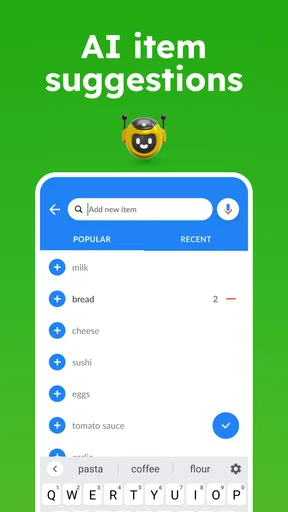


 Analysis by AppCompare
I judge a grocery-list app by what happens when plans change: someone else is shopping, an item is easy to overlook, or the list grows while I’m already on the way to the store. Shopping List - Listonic is built around that practical kind of coordination. It is a free shopping app from Listonic - Smart Grocery Shopping, and its appeal is less about turning grocery shopping into a project than making a familiar chore easier to manage.
Where the app stands today
The app has been around since 2010, and its current version is 9.7.6. That long-running presence gives it the feel of a focused utility rather than a new service trying to do everything at once. It has an average rating of 4.7 from around 310,000 ratings, with more than 10 million installs. Those figures suggest broad use, but what matters in practice is whether the list stays easy to read and update when several people have a stake in the shop.
I like the basic idea: create a list, add what you need, and use it as a shared reference instead of sending scattered messages or relying on memory. Listonic is free to install, rated for Everyone, and offers in-app purchases ranging from $0.49 to $46.99 per item. That makes it easy to try as a straightforward grocery organizer; I would still check the purchase details in the app before paying for anything, rather than assume an optional purchase is needed for ordinary list-making.
Guides and Analysis on Shopping List - Listonic
A useful routine for shared shopping
Imagine it is a weekday afternoon and you are planning dinner while a housemate is already near the supermarket. You can put the ingredients on a list, add a note to clarify which dish they are for, and share the list so the other person can see what is needed. If they pick up an item, the shared list can help the people at home avoid buying it again. The value is not elaborate meal planning: it is having one current place to check instead of trying to reconcile a text message, a half-remembered request, and a paper note.
For that routine, I would organize lists around real trips or recurring purposes rather than making one enormous list for every possible purchase. A weekly grocery list can stay separate from a party or household-supplies list, which makes it easier to hand the right list to someone else. If an item needs context, a note such as “for pasta night” is more useful than relying on everyone to remember why it was added. This is a small habit, but it helps prevent the shared list from becoming a pile of ambiguous reminders.
What changed, and what that means for existing users
The available release information points to a product with a long history and a current version, but it does not describe a particular new feature or a specific change between releases. I would not treat the version number as proof that the interface or its capabilities have recently changed. The more grounded takeaway is that Listonic remains an actively versioned grocery-list app, while its core job is still recognizable: helping people prepare and coordinate a shop.
If you already use it, I would judge an update by how it affects your own routine rather than expecting a dramatic redesign. Check that your lists are still arranged in a way that makes sense, and revisit who can access a shared list if household responsibilities have changed. For someone considering a switch from another app, the long-running version history may be reassuring, but it is not a reason by itself to move your lists. Ease of adding items and clarity during an actual trip are better tests.
Worth Reading Before You Choose

Ludo King Makes the Most of the Minutes Between Plans

Baby Panda World Brings Quick Play to Modern Phones, but Its Game Library Feels Busy

ESPN’s Live Game View Makes Following Close Games Easier

QuizzLand Review: A Good Fit for Short Trivia Breaks, Not Every Player

Basketball Stars: Multiplayer Is Fast, but Can It Recover When Matches Go Wrong?

WEBTOON Turns Phone Updates Into a Better Reading Routine
Where it fits among alternatives
The usual alternatives are a note-taking app, a message thread, or a paper list. A note can be enough for one person making an occasional stop, and paper has the advantage of being quick to glance at without unlocking a phone. But neither handles a changing household list as neatly as a shared digital list: people can consult the same shopping plan rather than passing around separate versions. Messages work for a one-off request, yet they become awkward when additions, substitutions, and completed items are mixed into a long conversation.
Listonic makes the most sense when you repeatedly buy groceries, want to group items by category, or need another person to see the current list. It is less compelling if you only need a reminder for two or three items, prefer not to use a phone while shopping, or want an app centered on more involved meal scheduling. In those cases, a basic notes app or paper may be simpler; if your priority is a broader meal-planning workflow, a dedicated planner may fit better. The useful comparison is not which tool has the longest feature list, but which one your household will actually keep up to date.
Small habits that make the list work better
One practical tip is to add an item as soon as you notice it is running low, rather than waiting until you sit down to plan the full shop. That turns the list into a shared memory aid instead of a task you must reconstruct from scratch. Categories can then help when you are in the store: group related products so you can scan for what is missing, while keeping the list focused enough that the organization does not become work of its own.
Notes are useful when an item could be misunderstood. A plain “tomatoes” may be enough for one household, but a short note can clarify its purpose or a preference when the person shopping is not the person cooking. Estimated prices can also be used as planning reminders, but I would treat them as estimates rather than a promise of the final bill. If prices vary or an item is substituted, the list is still a guide, not a live checkout total.
Limits to keep in mind
A shared list depends on people maintaining it. If one shopper forgets to mark items or a household member continues sending requests through separate messages, the app cannot magically make the information consistent. Agreeing on a simple rule—add requests to the list and update it while shopping—does more for reliability than building an elaborate set of lists. For a household that does not want to coordinate this way, a personal note may be less frustrating.
There is also a trade-off in keeping lists tidy. Separate lists make it easier to distinguish a regular shop from a special occasion, but too many can make it harder to know where a new item belongs. I would start with only the lists that reflect actual recurring needs, then add another when a clear use case appears. Likewise, smart suggestions may speed up repeat shopping, but they should be treated as prompts, not a complete record of what you need this week. A changed recipe or an unusual shop still requires your own check.
Before relying on a shared list for an important shop, try a small test: add a few items, share the list with the person who might shop, and confirm that both of you understand how to keep it current. That simple trial answers a more useful question than a feature checklist: does this workflow suit the way you already split errands? If not, there is little benefit in forcing the household to change its habits for an app.
Getting Started with Listonic
First things first, downloading the app is a breeze. Head over to the App Store or Google Play, search for Shopping List - Listonic, and you're just a tap away from transforming your shopping experience. Once installed, the app greets you with a clean and intuitive interface that's super easy to navigate.
Creating Your First List
Setting up your first list is as simple as pie. You can start by tapping on the "Add List" button and giving it a name. Whether it's "Weekly Groceries" or "Party Supplies," the app lets you customize it to suit your needs. Adding items is just as straightforward. Simply type in what you need, and Listonic will often suggest common items to speed up the process.
Features that Stand Out
What sets Listonic apart from other shopping apps? Let's dive into some of its standout features. First up, the app allows you to share your lists with family or roommates. So, if you're too busy to hit the store, someone else can pick up the slack. Plus, any changes made to the list are updated in real-time for everyone to see.
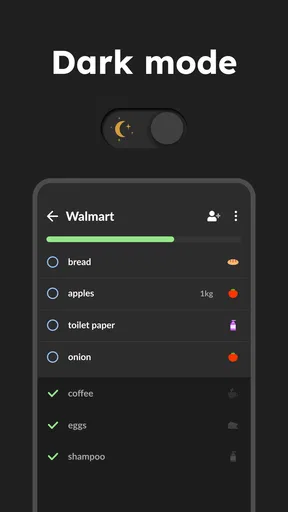
Another cool feature is the ability to sort items by categories. This means you can group all your fruits, veggies, and dairy products together, making your shopping trip more efficient. No more zigzagging through the store!
Planning and Budgeting
If you're someone who likes to plan meals ahead, Listonic has got you covered. You can add notes to each item, like "for pasta night," to keep track of what you're planning to cook. The app also allows you to add estimated prices to items, helping you keep an eye on your budget.
Smart Suggestions
The app also learns from your habits. Over time, it makes smart suggestions based on what you frequently buy. This feature is a lifesaver when you're in a rush and can't remember everything you need.
Accessibility and Language Options
I was pleasantly surprised by the app's accessibility features. It's available in multiple languages, making it easy for non-English speakers to use. Plus, the app's simple design ensures it's easy to use for people of all ages.
Overall, Shopping List - Listonic is a game-changer for anyone looking to streamline their shopping experience. Its blend of simplicity, smart features, and customization options make it a must-have app on your phone.
So, the next time you're heading out for groceries, give Listonic a try, and enjoy a more organized and stress-free shopping trip. Happy shopping!
Pros
- User-friendly interface for quick list creation.
- Real-time syncing across multiple devices.
- Barcode scanning for easy item addition.
- Customizable categories for better organization.
- Offline mode available for convenience.
Cons
- Ads can be intrusive in the free version.
- Limited features without a premium upgrade.
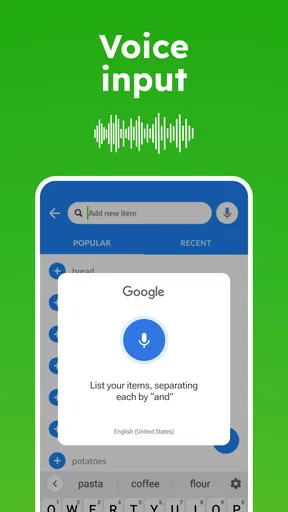
- No voice input for list creation.
- Barcode scanning requires internet connection.
- Doesn't integrate with all grocery apps.
FAQs for Shopping List - Listonic
What features does Shopping List - Listonic offer?
Shopping List - Listonic offers a range of features to simplify your shopping experience. It allows you to create multiple shopping lists, share them with others, and synchronize across devices. The app also suggests items based on your shopping history and provides categorized lists to make shopping more efficient.
Is Shopping List - Listonic available for free?
Yes, Shopping List - Listonic is available for free on both Android and iOS platforms. However, it also offers in-app purchases for additional features, such as ad-free usage and advanced list management options. These premium features can enhance your shopping experience but are not necessary for basic functionality.
How does the synchronization feature work in Listonic?
The synchronization feature in Listonic allows you to keep your shopping lists updated across multiple devices. When you make changes to a list on one device, it automatically updates on all other connected devices. This feature is particularly useful for families or roommates who share shopping responsibilities.
Can I share my shopping lists with others using Listonic?
Yes, Listonic makes it easy to share your shopping lists with friends or family. You can invite others to collaborate on a list, allowing them to add or remove items in real-time. This collaborative feature ensures everyone stays on the same page, making shopping trips more organized and efficient.
Does Shopping List - Listonic require an internet connection to function?
While Listonic offers offline functionality for creating and managing lists, an internet connection is required for features like synchronization and sharing. If you're offline, you can still access and edit your lists, but changes will only be updated across devices once you're back online.


